How to Deposit Colombian Pesos to CacaoCash with Bre-B (2026)
TL;DR
In CacaoCash, Deposit → COP shows a Bre-B key starting with @ in your own name. In your bank or wallet app open Bre-B, choose the @ key type, paste it, check that your own name appears, and send, minimum 100 COP and up to 11,552,000 COP per transfer. The dollars land within seconds, no CacaoCash fee. Send from your own account or a company account; transfers from another individual are returned.
CacaoCash gives you a Bre-B key in your own name. Send Colombian pesos to it from Bancolombia, Nequi, Daviplata, Davivienda, BBVA or any other bank or wallet connected to Bre-B, and they land in your CacaoCash balance as dollars within seconds, ready to pay QR codes in Argentina or send Argentine pesos. No card fee, no DNI, no Argentine bank account.
Bre-B is Colombia's instant payment system, run by the Banco de la República. Paying a key is the same gesture as sending money to a friend's key.
How It Works
- Bre-B, 24/7, seconds. Transfers between keys settle instantly, any day and any hour.
- A key in your name. The key starts with @ and is tied to your account. When you paste it, your bank shows your own name as the recipient.
- Colombian pesos become dollars. Your balance is held in US dollars, converted at the rate shown in the app. Every payment in Argentina then uses the crypto dollar rate.
Before You Start
- A verified CacaoCash account (passport or national ID, a selfie, a couple of minutes).
- A Colombian bank or wallet account in your own name with Bre-B enabled. All major banks and wallets are connected.
Step 1: Get Your Bre-B Key in CacaoCash
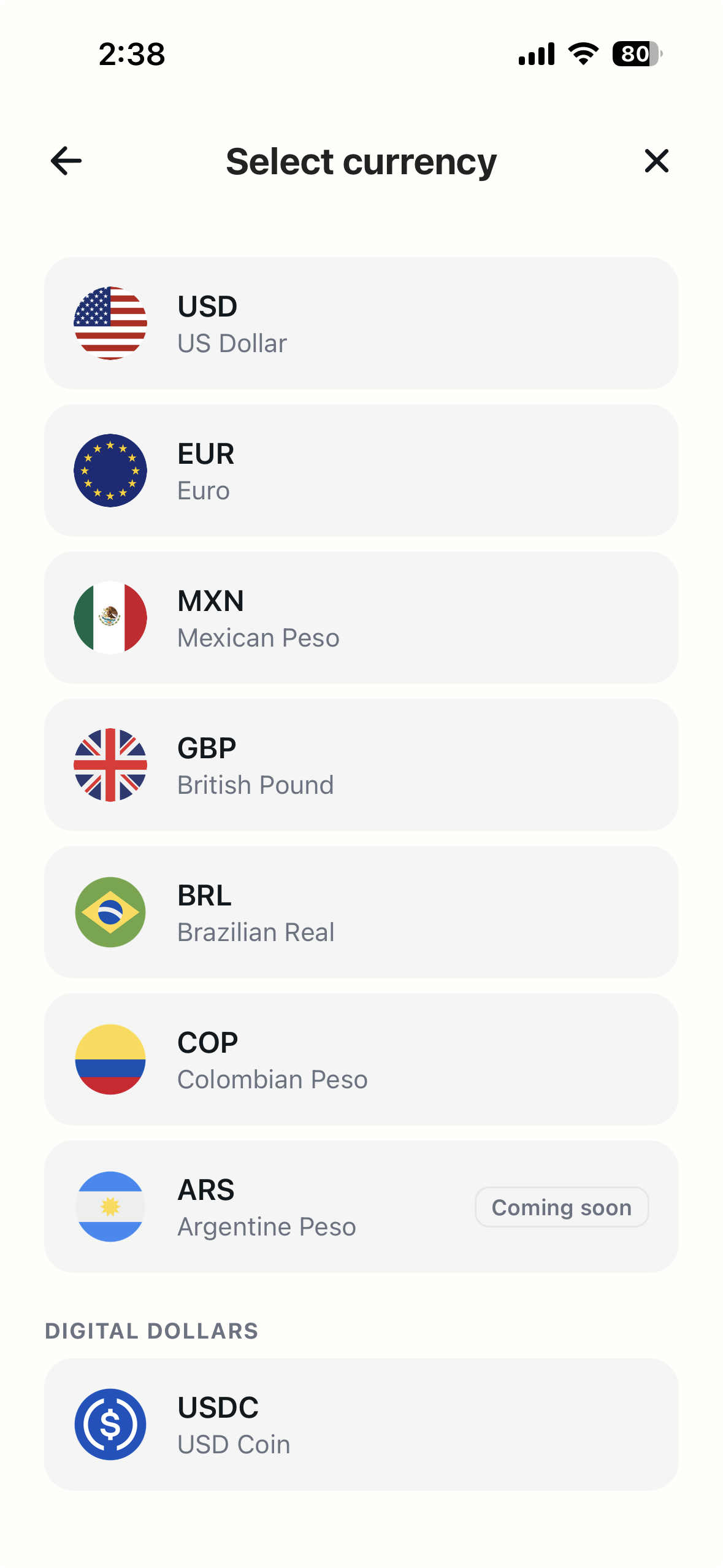
- Open Deposit. On the Home screen, tap Deposit, then on Select currency tap COP, Colombian Peso.
- Create the account (first time only). A short intro screen, COP deposits, explains that CacaoCash opens a virtual account in your name that receives transfers from any Colombian bank. Tap Continue.
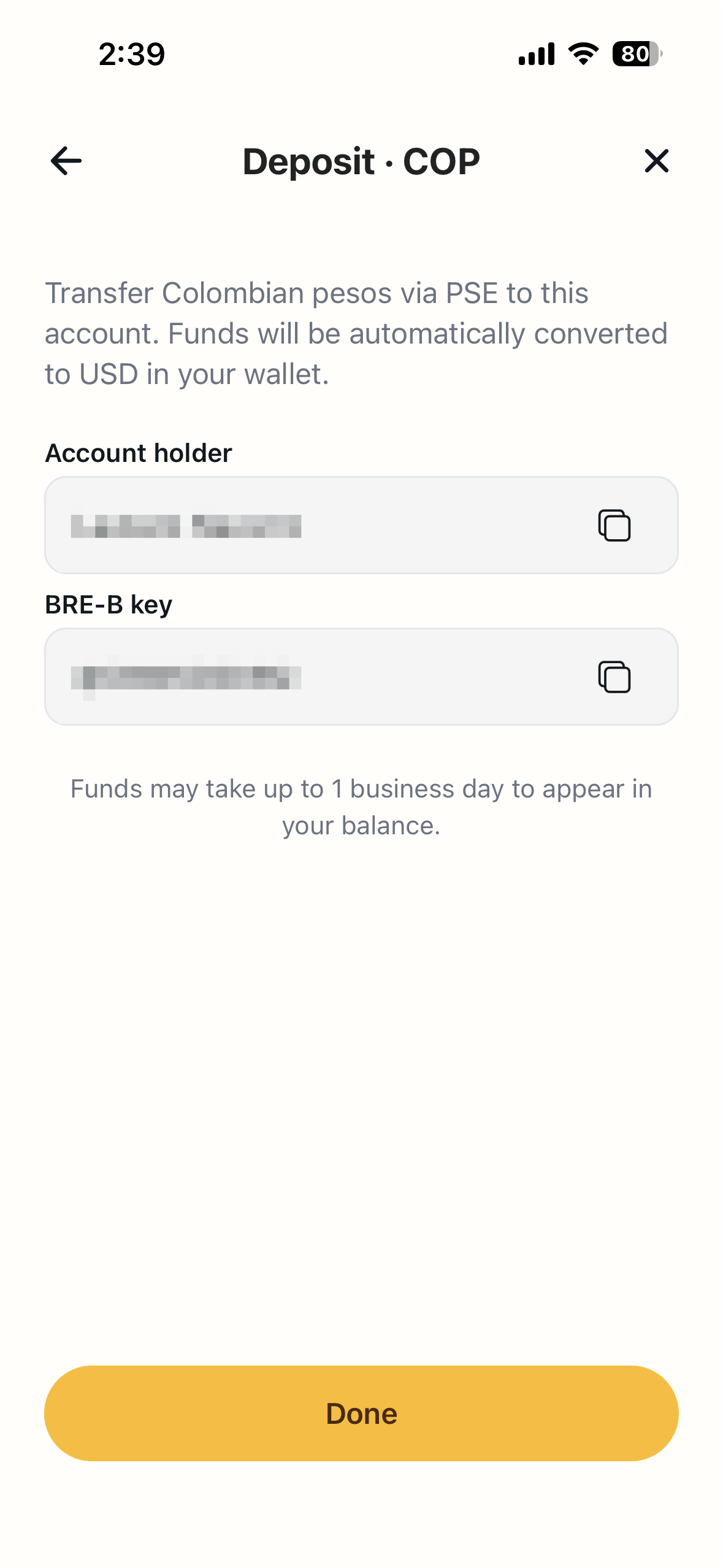
- Your details appear. The Deposit · COP screen shows the Account holder (your own name) and your BRE-B key, which starts with @. Each has a copy button.
Step 2: Send the Pesos With Bre-B
- In your bank or wallet app, open Bre-B and choose Enviar or Transferir con llave.
- Key type: @ (alphanumeric). Paste the key from CacaoCash.
- Check the name. The app shows the recipient linked to the key. It should be your own name. If it isn't, stop and re-copy the key.
- Enter the amount (minimum 100 COP, up to 11,552,000 COP per Bre-B transfer) and confirm.
- The dollars usually show up in CacaoCash within seconds. You get a notification and the deposit appears in Activity.
Tips
- Try 5,000 pesos first. Watch it land in Activity, then send the rest.
- Larger amounts, several transfers. Bre-B caps each transfer at 11,552,000 COP. Split bigger top-ups into more than one.
- Top up before the trip. Send the pesos the day before you fly so the dollars are ready when you land.
What You Can Do Once It Lands
Your balance is held in US dollars. From it you can scan and pay any QR code in Argentina, including Mercado Pago QRs, and send pesos to any alias, CBU or CVU for rent, a host or a friend. Every payment converts at the crypto dollar rate, which in October 2026 gives about 10% more pesos than a foreign card. See card dollar vs crypto dollar.
Frequently Asked Questions
Is there a fee?
CacaoCash charges nothing to receive a Bre-B transfer, and Bre-B transfers are free for individuals at Colombian banks.
Is there a minimum or maximum?
Minimum 100 COP. Maximum 11,552,000 COP per Bre-B transfer; send more in several transfers.
Is the key a phone number or an email?
Neither. It is an alphanumeric key that starts with @. Choose the @ key type in your bank app and paste it.
Can a friend or family member send pesos to my key?
No. Transfers from another individual are returned. Only your own account, or a business account, can fund it.
How long does it take?
Seconds, 24/7.
Ready to pay like a local?
CacaoCash lets you scan any QR in Argentina, no DNI, no local bank account needed.


About the author

Simon Gómez
Founder of CacaoCash. Simon has lived in Argentina as a foreigner and built CacaoCash so expats and nomads can pay like locals, no DNI, no local bank account. He writes about paying, getting paid, and not losing money to the tourist rate.
You might also like
- ArgentinaHow to Deposit to CacaoCash with Venmo or PayPal (2026)
- ArgentinaHow to Deposit to CacaoCash with Cash App (2026)
- ArgentinaHow to Pay QR Codes in Argentina as a Tourist (No DNI, 2026)
- ArgentinaMercado Pago for Foreigners: No DNI? Here's How to Pay (2026)
- ArgentinaHow to Pay in Argentina as a Tourist or Foreigner (2026)
- ArgentinaBlue Dollar vs MEP Dollar in Argentina (2026): Which Rate Should You Use?