How to Deposit to CacaoCash with Revolut: SOL on Solana (2026)
TL;DR
To deposit to CacaoCash with Revolut, buy SOL in the Crypto tab of Revolut and send it on the Solana network to the Solana address shown in CacaoCash under Deposit, USDC, Solana. CacaoCash converts the SOL to USDC automatically. Revolut charges a fixed fee to send (0.019 SOL, €1.21, in our November 2026 test), so load a larger amount in one go.
Pay any QR in Argentina with just your passport. CacaoCash loads by bank transfer and gives you up to 15% more pesos than a foreign card.


To deposit to CacaoCash with Revolut, buy SOL in the Crypto tab of the Revolut app and send it on the Solana network to your CacaoCash Solana address. When the SOL arrives, CacaoCash converts it to digital dollars (USDC) automatically, and your balance is ready to pay QR codes and send pesos in Argentina. In our November 2026 test, Revolut charged 0.019 SOL (€1.21) to send.
This guide walks through the whole deposit, screen by screen, in both apps. Our Revolut screenshots come from the app in Spanish, so each step also gives the Spanish label you see in them.
How a Revolut Deposit to CacaoCash Works
Revolut lets you buy SOL and send it to an external wallet. CacaoCash gives you a Solana address in a wallet in your name. You copy that address, paste it into Revolut, and send the SOL on the Solana network. CacaoCash converts the SOL to USDC on arrival, so you hold dollars, not SOL.
- Revolut side: buy SOL, add your CacaoCash address as a saved wallet, send.
- CacaoCash side: copy your Solana address. The conversion to USDC happens on its own.
- After that: you pay any QR or alias in Argentina from a dollar balance, with only your passport and no Argentine bank account.
Before You Start
- A verified CacaoCash account. Foreigners verify with a passport; Argentines can use their DNI or a passport.
- A Revolut account with crypto enabled and the Send option available in the Crypto tab. Crypto features depend on your country, so check that the button is there before you buy.
- Money in your Revolut balance to buy the SOL.
Step by Step: Deposit to CacaoCash with Revolut
Part 1: Copy your Solana address in CacaoCash
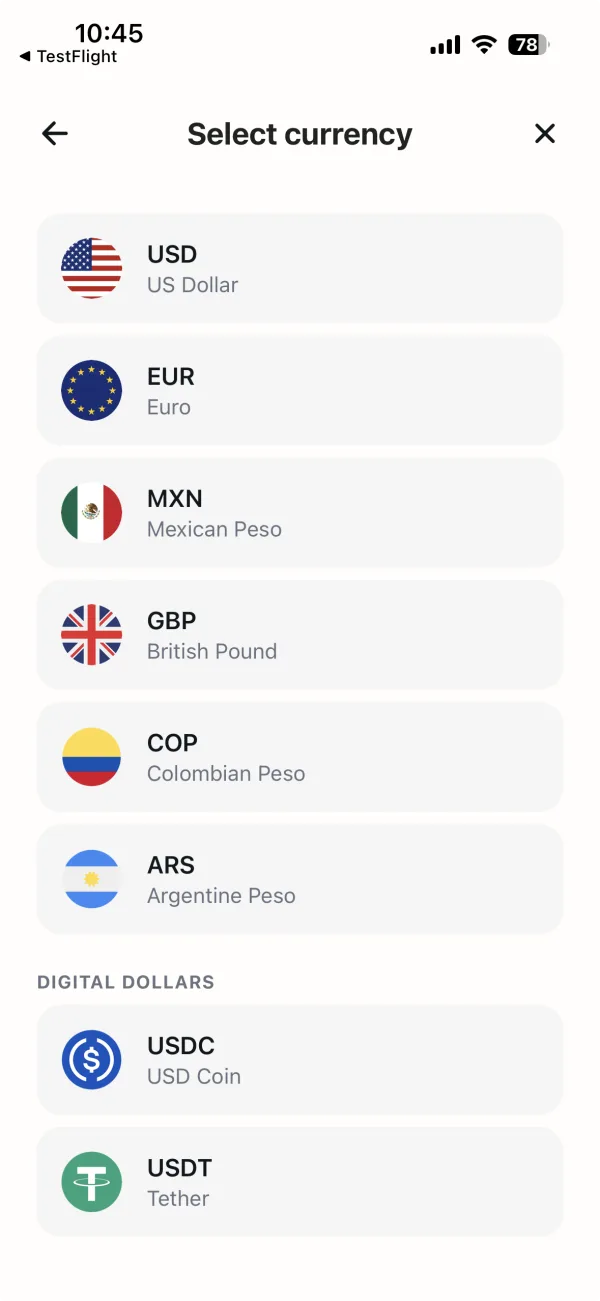
- Open Deposit and choose USDC. In CacaoCash tap Deposit. On Select currency, scroll to Digital Dollars and tap USDC.
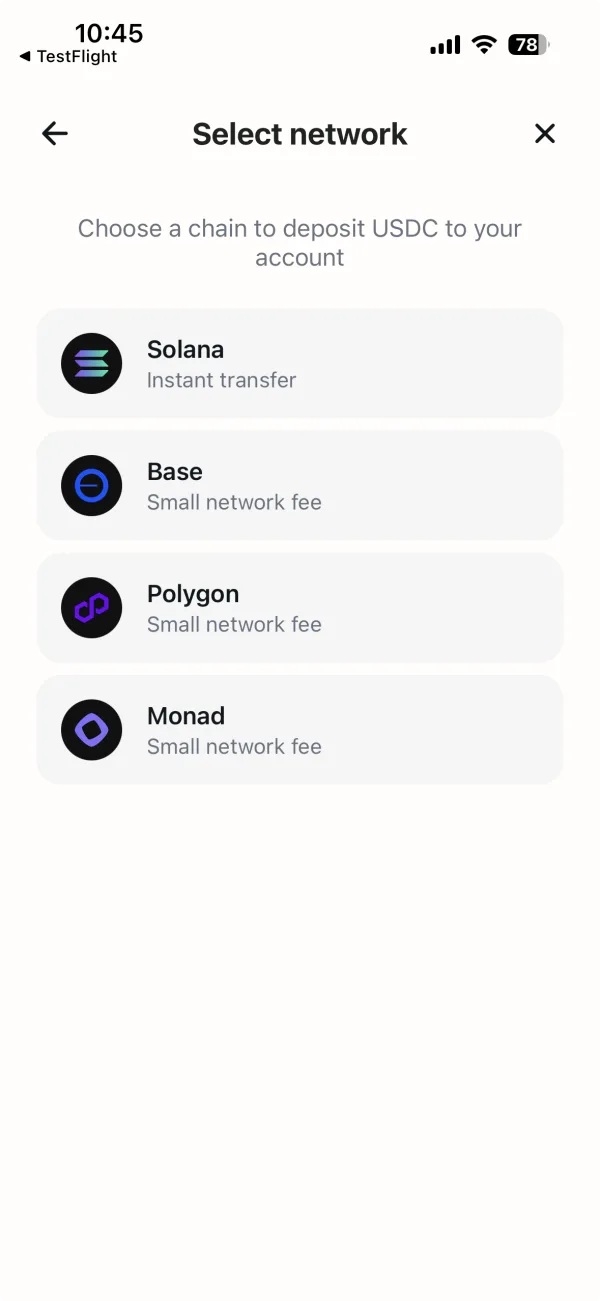
- Choose Solana as the network. On Select network, tap Solana. The other networks on the list do not work for this deposit.
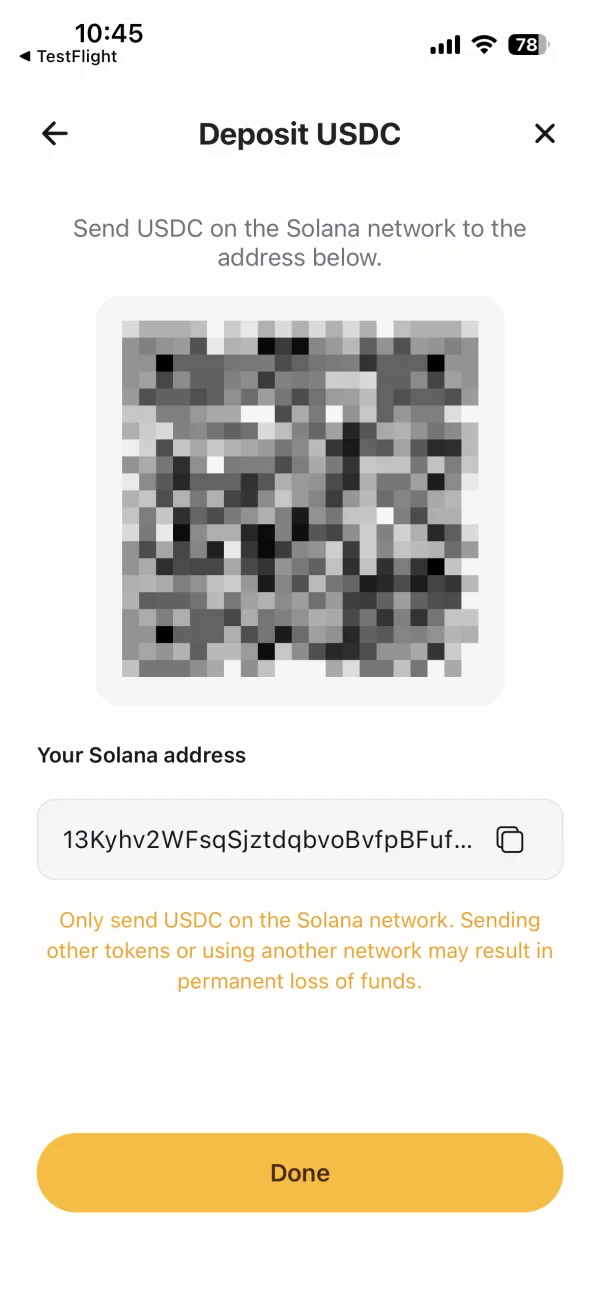
- Copy your Solana address. The Deposit USDC screen shows Your Solana address. Tap the copy icon next to it.
Part 2: Buy SOL in Revolut
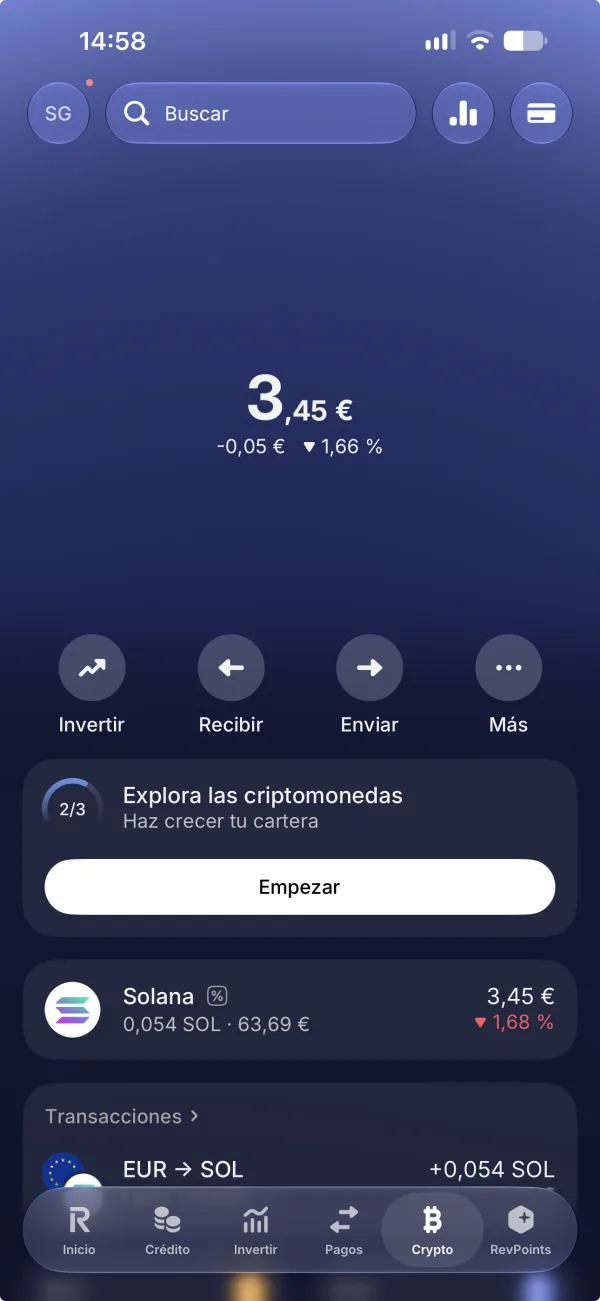
- Open the Crypto tab and buy Solana (SOL). In Revolut, go to Crypto, tap the buy button (Invertir in our screenshots), pick Solana and buy the amount you want to deposit. Revolut shows the price and its fee before you confirm. Your SOL then appears in the Crypto tab.
Part 3: Send the SOL to CacaoCash
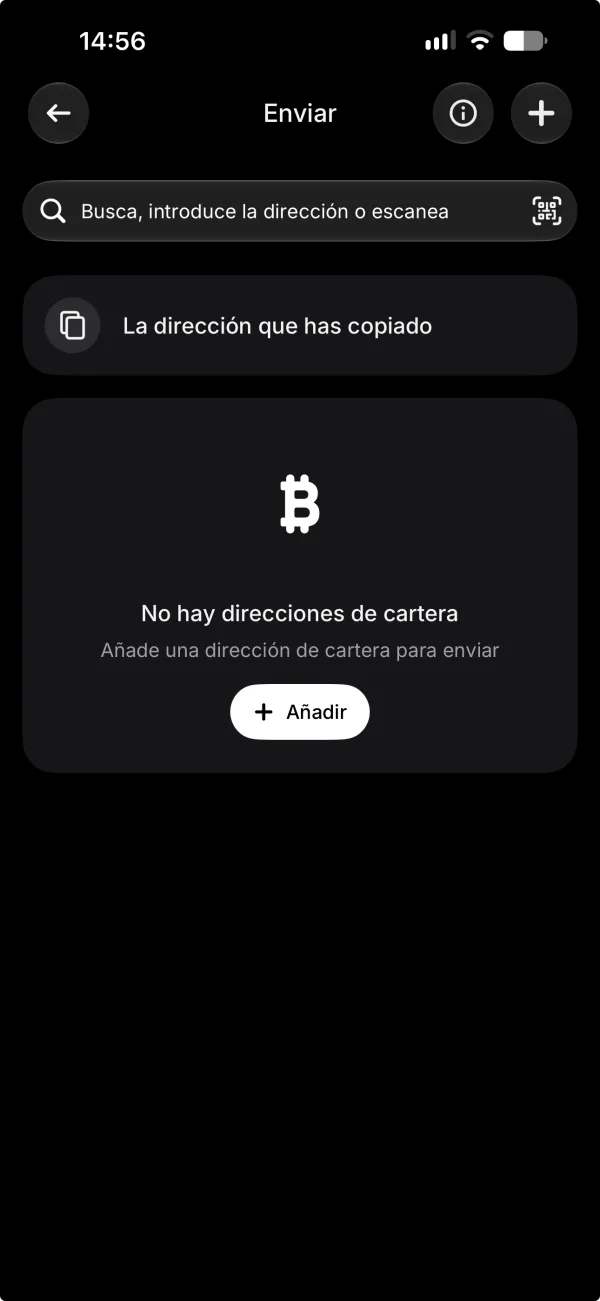
- Tap Send and add a wallet address. In the Crypto tab tap Send (Enviar). The first time, the list of wallet addresses is empty: tap the add button (Añadir).
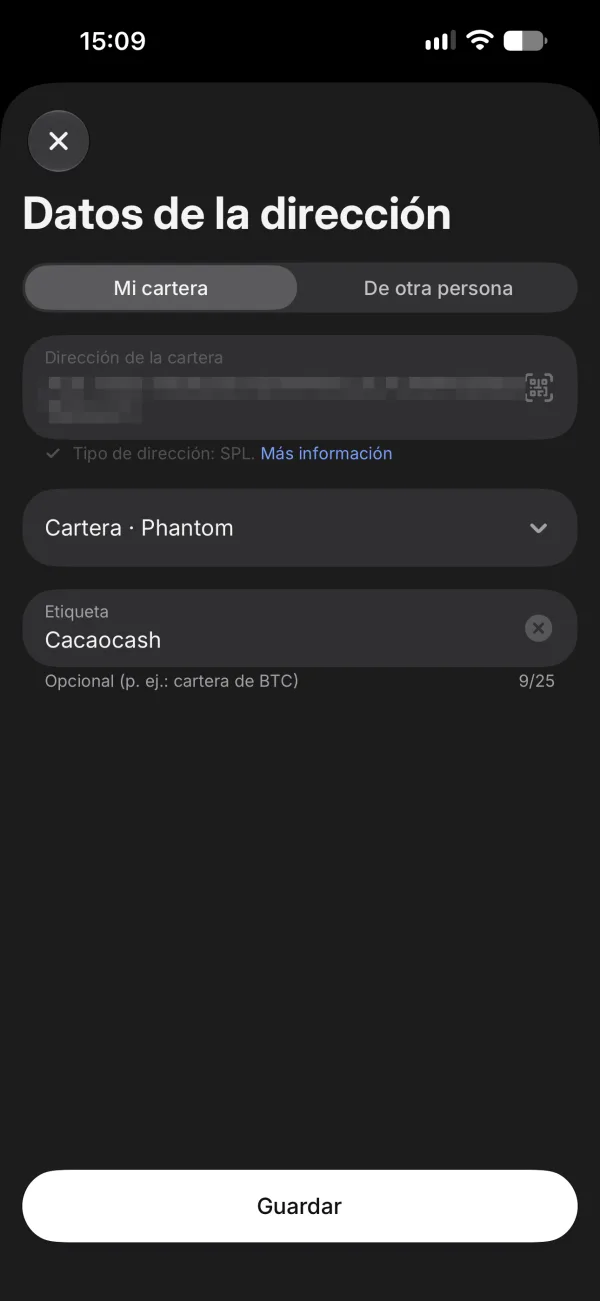
- Paste your CacaoCash address and save it. Choose the "my wallet" tab (Mi cartera), since the CacaoCash wallet is in your name, and paste the address. Revolut detects the address type as SPL, which is Solana. It also asks for a wallet provider (we picked Phantom in our test) and an optional label, for example "Cacaocash". Tap save (Guardar).
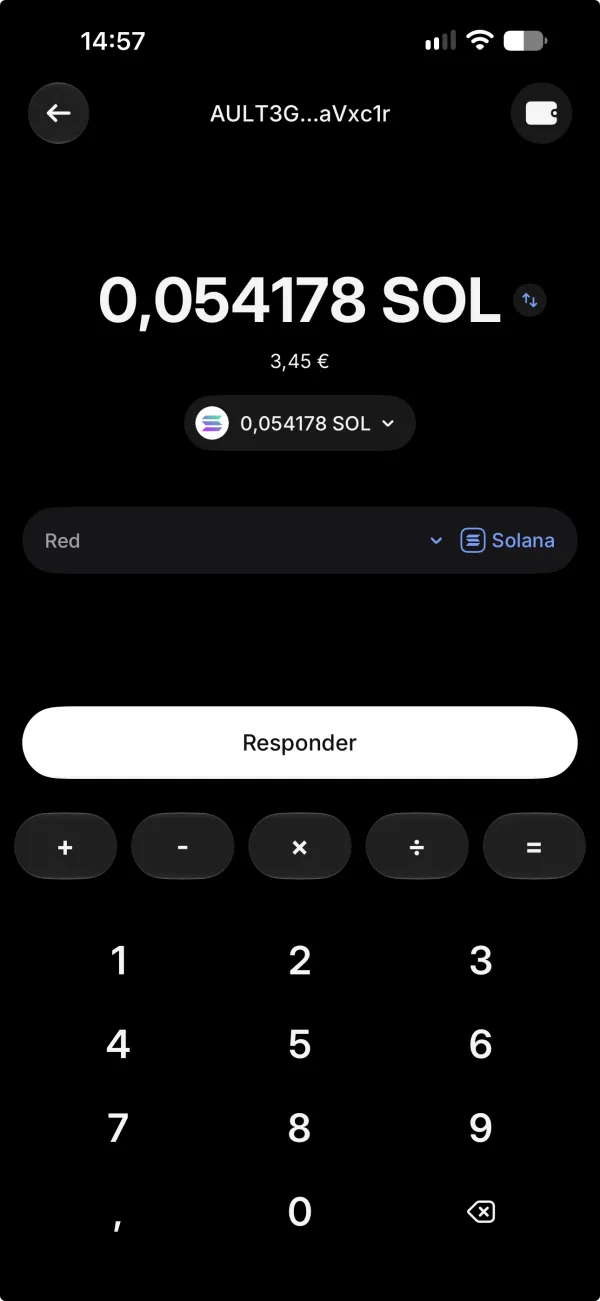
- Enter the amount and check the network. Type the amount of SOL to send and confirm that the network row (Red) says Solana. Then continue with the button under it.
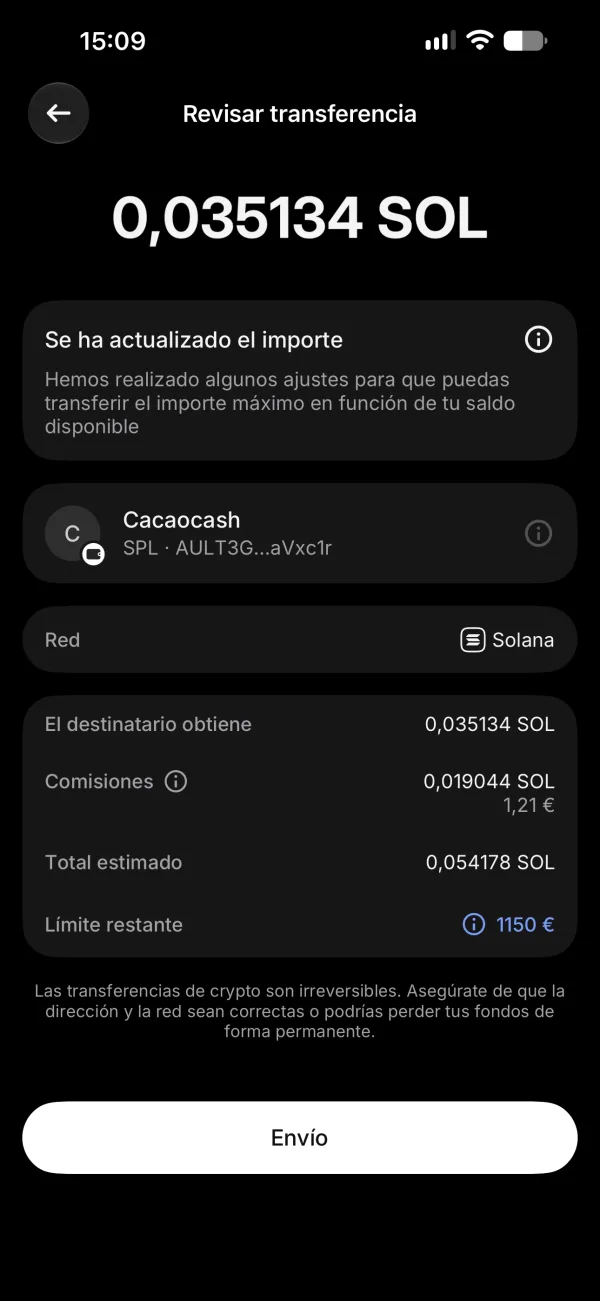
- Review and send. The review screen (Revisar transferencia) shows what the recipient gets, Revolut's fees and your remaining limit. In our test we sent the whole SOL balance and Revolut lowered the amount so the fee fit. Check that the address starts and ends like the one in CacaoCash, then tap send (Envío).
That is it. Solana confirms transfers in seconds. When the SOL lands, CacaoCash converts it to USDC and the dollars show in your balance.
Double-Check Before You Send
- Send SOL on the Solana network only. The CacaoCash screen tells you to send only USDC on Solana. SOL sent to that same address is the one exception, and it is converted to USDC automatically. Any other token or any other network can mean losing the funds.
- Crypto transfers cannot be reversed. Compare the first and last characters of the address in Revolut with the one in CacaoCash before you send.
- The price of SOL moves. Between buying and arriving, your SOL can be worth a bit more or less in dollars. Buy and send in the same sitting to keep that window short.
- A test transfer pays the fixed fee again. If you want to test first, keep in mind that each send pays Revolut's fee.
What You Can Do Once the Deposit Lands
Your balance is held in dollars. From it you can scan and pay any QR code in Argentina and send pesos to any alias, CVU or CBU. Each payment converts at the crypto dollar, so you get up to 15% more pesos than with a foreign card. The difference between both rates is explained in card dollar vs crypto dollar, and today's numbers are on the Argentina dollar rate page.
Keep your Revolut card for terminals and ATMs. What the card can and cannot do in the country is covered in does Revolut work in Argentina.
Frequently Asked Questions
Can I deposit to CacaoCash from Revolut?
Yes. Buy SOL in Revolut's Crypto tab and send it on the Solana network to your CacaoCash Solana address. CacaoCash converts it to USDC when it arrives. You can also send a bank transfer in euros or pounds from Revolut.
Which network do I choose in Revolut?
Solana. Revolut detects your CacaoCash address as SPL and sets the network to Solana. Do not send on any other network.
CacaoCash says to send only USDC. Is SOL safe to send?
Yes, SOL on the Solana network is the exception: CacaoCash converts it to USDC automatically. Other tokens and other networks are not covered and can be lost.
How much does Revolut charge to send SOL?
A fixed amount: a 1 GBP service fee (or local equivalent) plus the network fee, according to its fee schedule. In our November 2026 test the total was 0.019044 SOL, or €1.21. Revolut shows it before you confirm.
Can I send USDC from Revolut instead of SOL?
This guide covers SOL, the route we tested. If your Revolut app offers USDC on the Solana network under Send, the same CacaoCash address receives it.
Do I end up holding SOL in CacaoCash?
No. The SOL is converted to USDC on arrival and your balance is shown in dollars.
Ready to pay like a local?
CacaoCash lets you scan any QR in Argentina, no DNI, no local bank account needed.
About the author

Simon Gómez
Founder of CacaoCash. Simon has lived in Argentina as a foreigner and built CacaoCash so expats and nomads can pay like locals, no DNI, no local bank account. He writes about paying, getting paid, and not losing money to the tourist rate.
You might also like
- ArgentinaHow to Deposit to CacaoCash with Venmo or PayPal (2026)
- ArgentinaHow to Deposit to CacaoCash with Cash App (2026)
- ArgentinaHow to Pay QR Codes in Argentina as a Tourist (No DNI, 2026)
- ArgentinaMercado Pago for Foreigners: No DNI? Here's How to Pay (2026)
- ArgentinaHow to Pay in Argentina as a Tourist or Foreigner (2026)
- ArgentinaBlue Dollar vs MEP Dollar in Argentina (2026): Which Rate Should You Use?